GetToIt Home Management · iPhone & iPad

The thing your home needs.

Reminders for the small jobs, lists the whole household shares, and projects from first idea to done.

Try everything free for 14 days. Plans from $39.99 a year after your trial. Android is in the works.

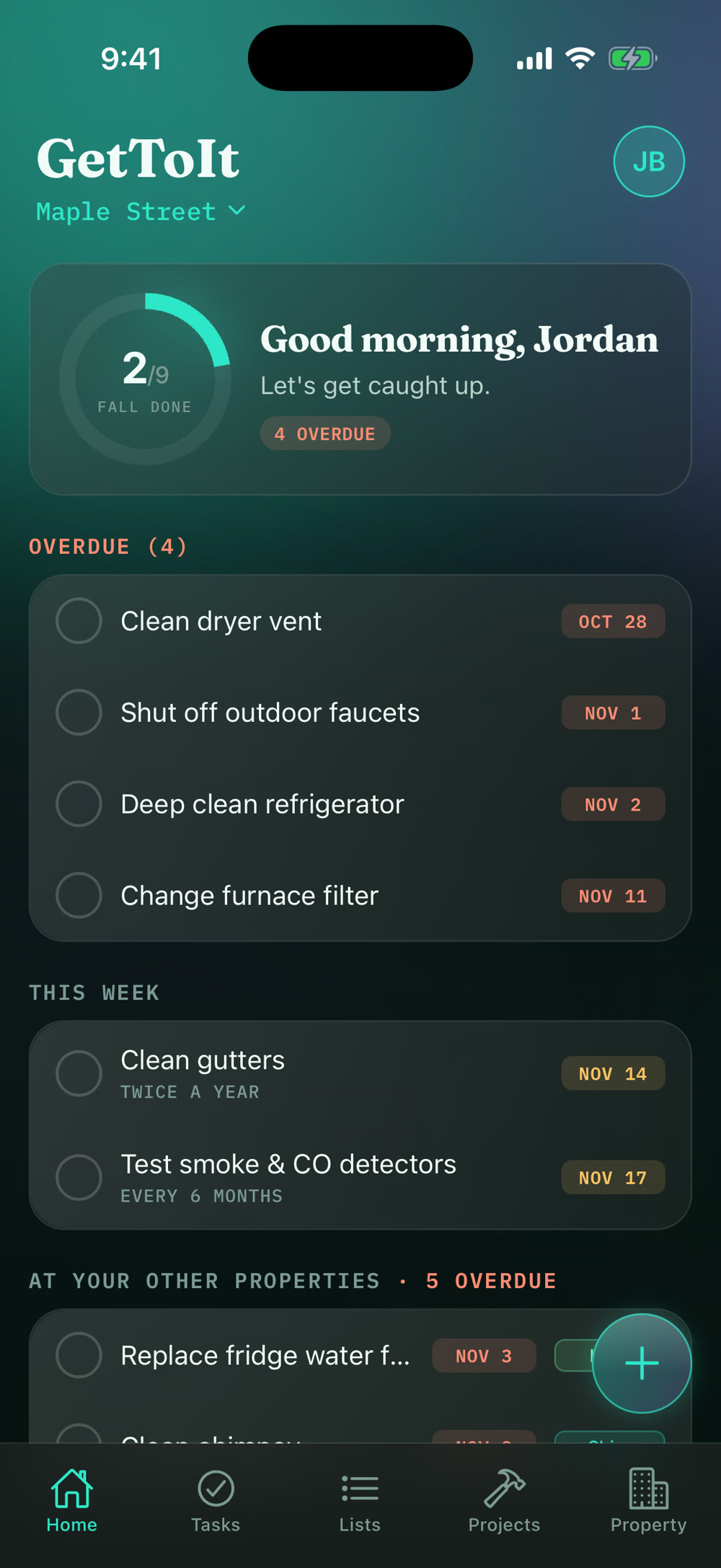
The GetToIt home screen: a greeting, fall progress, three tasks due this week, a pinned list, and shared lists.

No more remembering.

Furnace filters, gutters, smoke detectors. GetToIt tells you what's due this week and what's coming up, so the house isn't living in your head.

Tasks sorted into this week, the next 30 days, and upcoming.

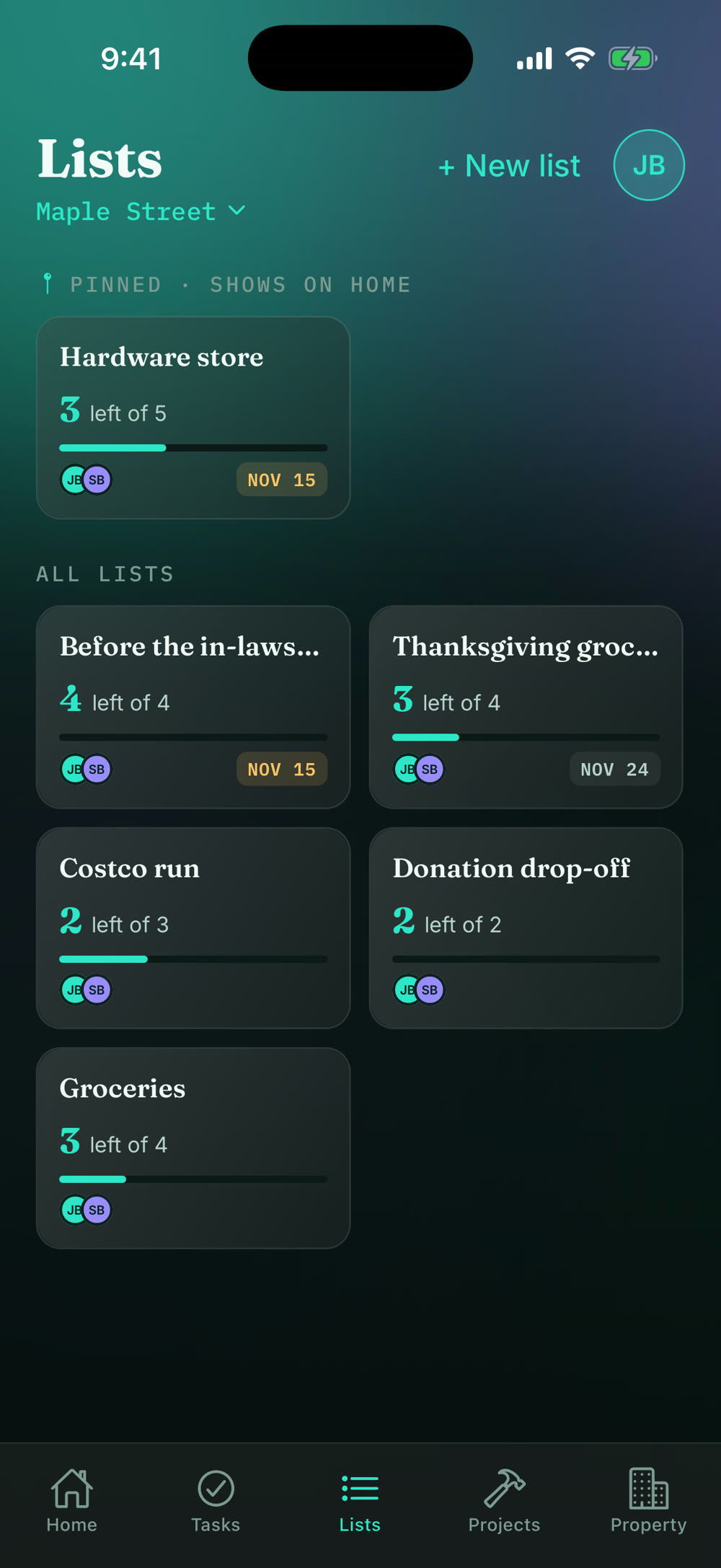
No more lists on scraps of paper.

Groceries, the hardware store, party prep. Keep a list for anything, share it with everyone at home, and it lives in its own tab.

The Lists tab with six shared lists, each showing what is left and who is on it.

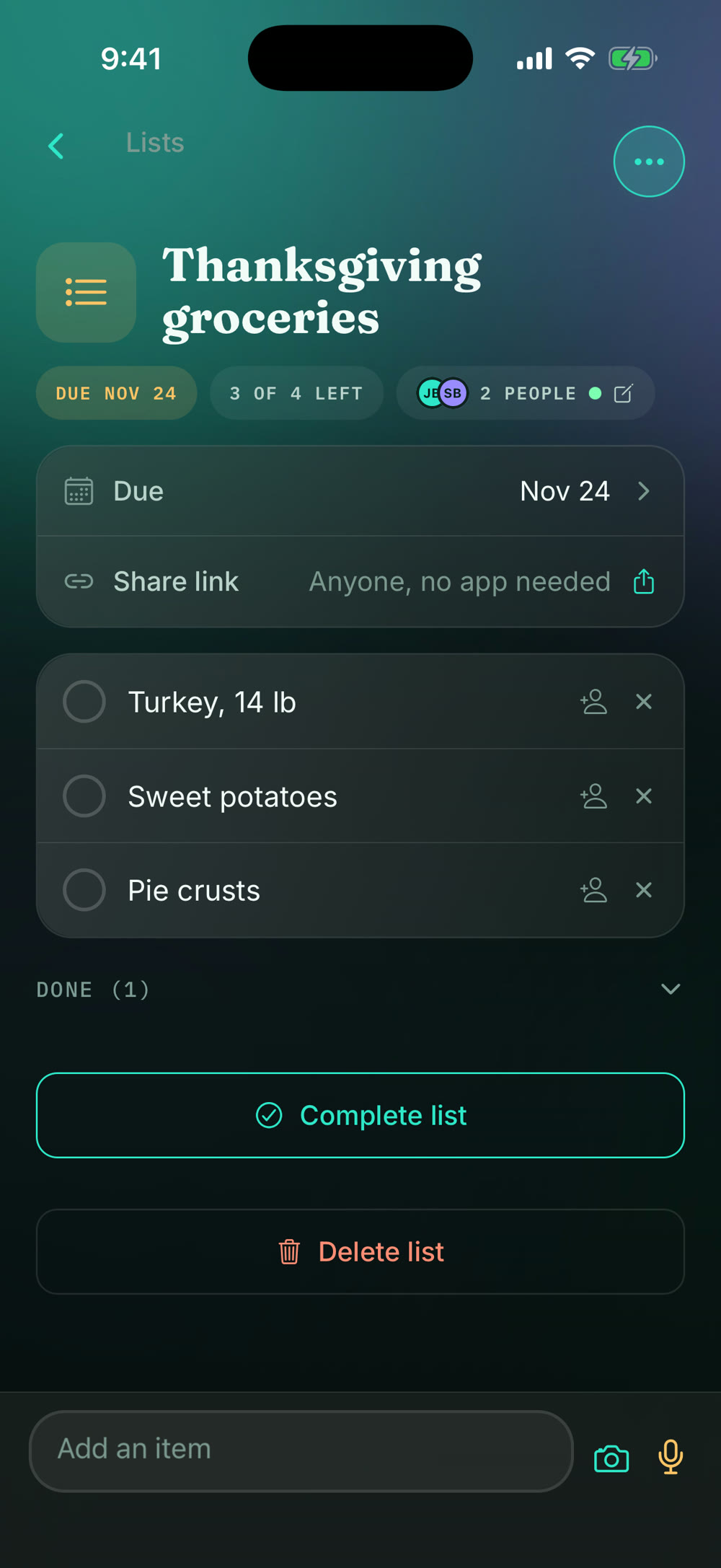
No more asking.

Everyone who lives there sees the same lists. Check something off at the store and it's checked off at home, right away. Add or remove people from a list with one tap, and see who has it open right now.

A shared hardware store list with two people on it, updating live.

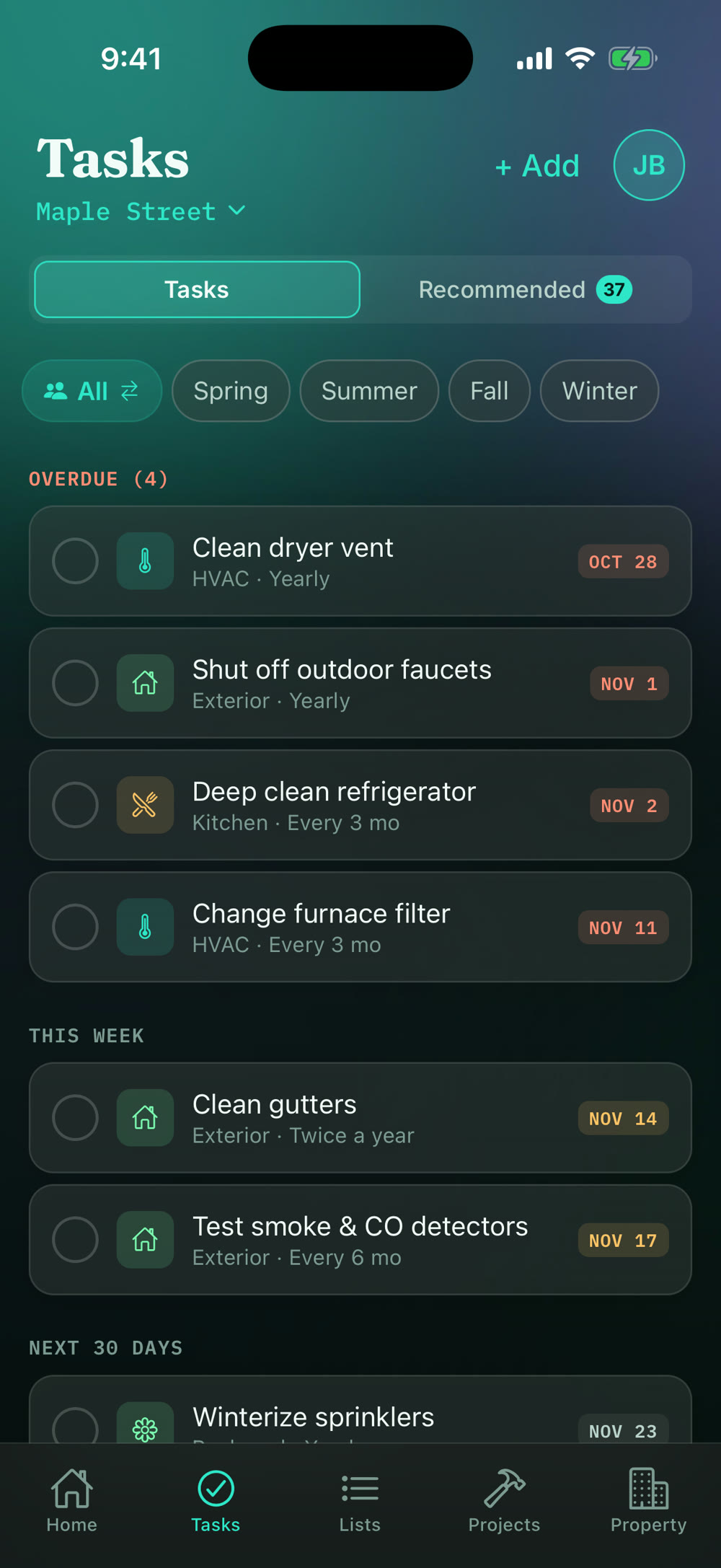
No more starting from scratch.

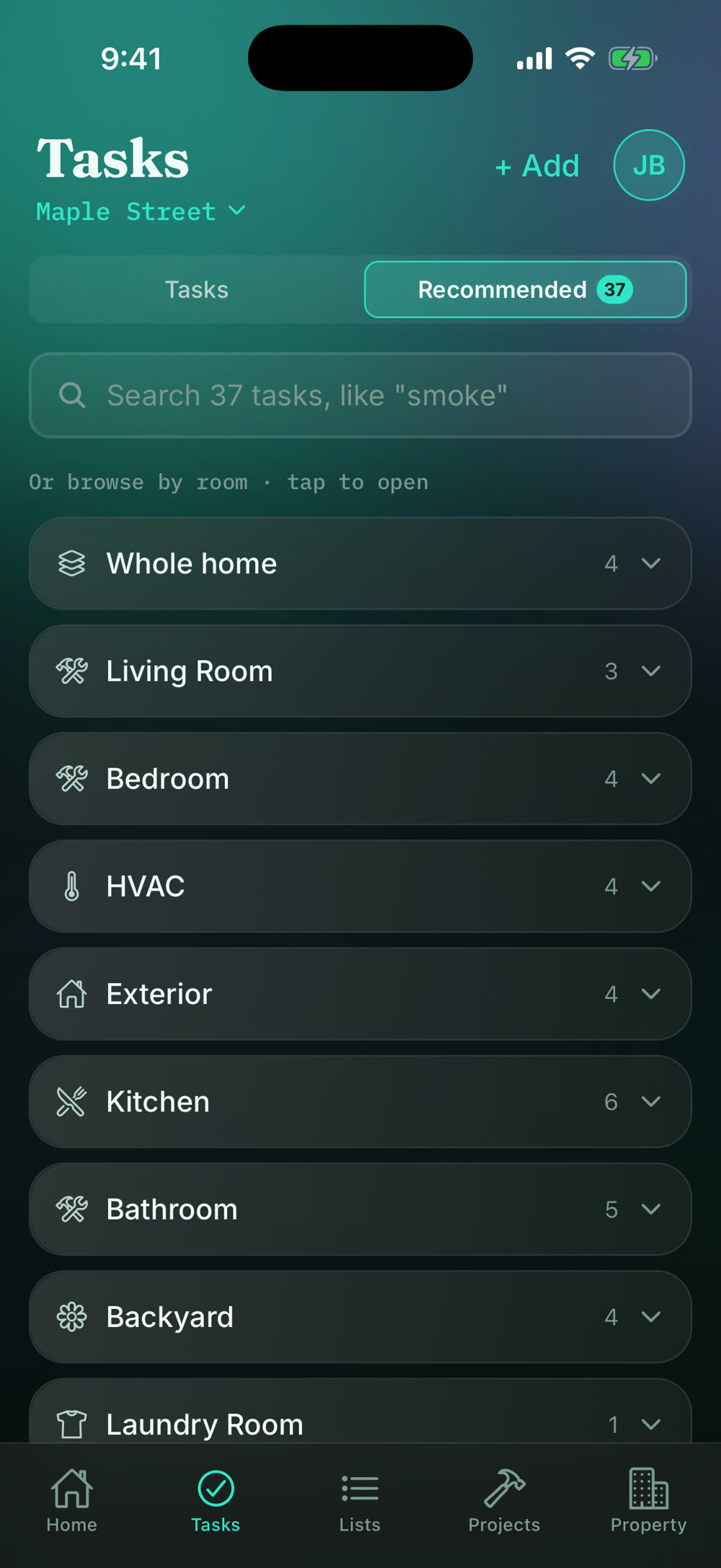
Tell us your home type and your seasonal checklist is already filled in. Add what's yours, skip what isn't.

Recommended tasks grouped by area, each one tap to add.

No more half finished projects.

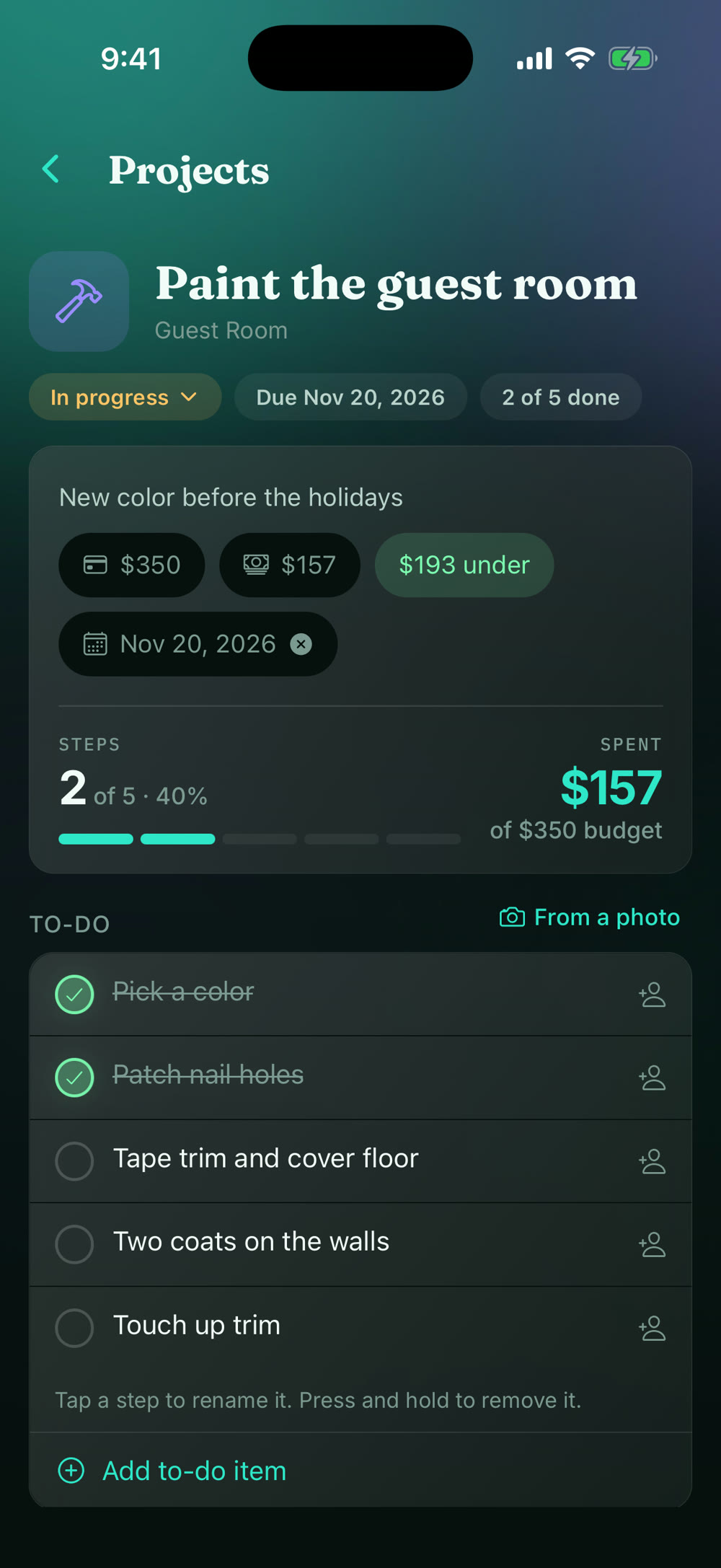
Steps, costs, budget, and who's doing what, all in one place. The total adds itself up as you add costs. Save the dream projects too, for when the time is right.

A painting project with steps, a budget, and a shopping list.

On iPad

Your home, at a glance.

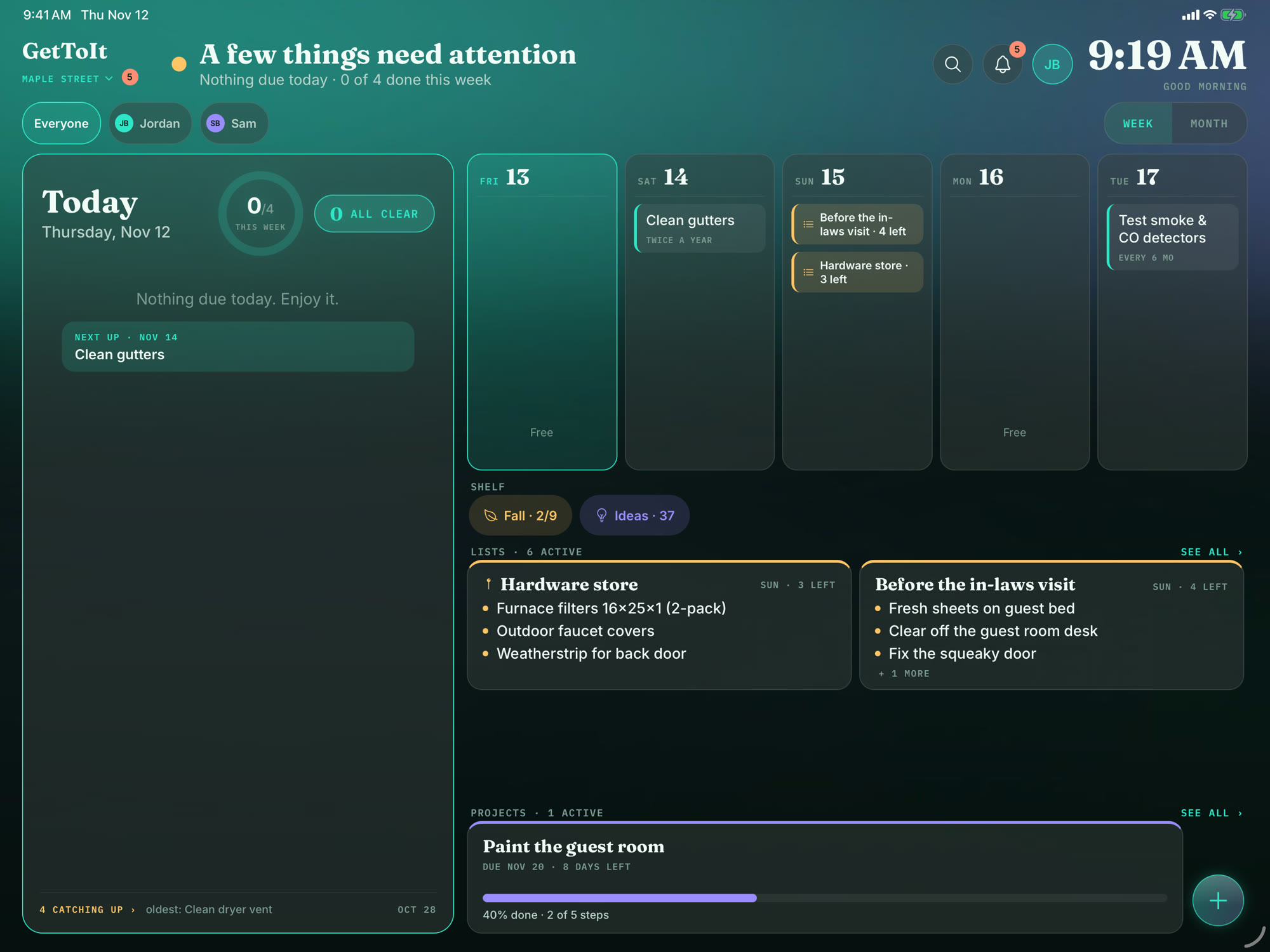
Prop an iPad on the kitchen counter and the Hub shows what the house needs today, this week or this month. Nobody has to ask, and nobody has to open an app.

The GetToIt Hub on an iPad: today's tasks with a check circle, what was done today, and the week laid out day by day.

Today, front and center

What's due now sits at the top, big and easy to read. Tap the circle when it's done, and it moves to "Done today."

Weekly and monthly views

See the week laid out day by day, or switch to the whole month with one tap. Tap any day to see what's on it and add something to it.

Add things on the spot

One round button adds a task, a list, or a project, right from the Hub.

See how the week is going

A ring on the Today card shows how much of the week is done. Anything running behind sits in a quiet “catching up” line, and one tap moves a task to today.

Drag a task to another day

Press and hold a task, then drop it on another day. After 6 pm, Today also shows what's on tomorrow.

Lists, right on the Hub

Tap a list and its items open on a card, so you can tick things off without leaving the screen.

See everything the Hub can do →

And everything else your home asks of you.

Small things that add up to peace of mind.

Appliances on hand

Scan a model label to fill in brand, model and serial. Track the warranty and get a reminder 30 days before it ends, and keep upkeep tasks and service history on each appliance.

Your home's history

Every finished job and every dollar you put into your home, recorded as you go.

The right access for each person

Invite family or roommates and choose what each person can see and do.

Share house info

Send a sitter, guest or family a link with just the guides you choose. No account needed, and you decide when it stops working.

Share a project

Send a contractor one link with the steps, photos, and details they need.

A bonus when you move

Hand the next owner a report of how well your home was cared for.

See every feature →

GetToIt Home+

More than one home?

A rental, a cabin, a parent's house. Switch between them in a tap, keep each one's tasks on track, and build a record of every job, right from your phone.

Home+ covers up to 5 homes.

Up to 5 homes

Each with its own tasks, lists, projects, and history.

5 people per home

Bring in family, a co-owner, or whoever helps out.

Every job on record

Know what was done, when, and what it cost, for every home.

One tap to switch

Move between homes without signing in and out.

Simple pricing

Try everything free for 14 days. Then pick the plan that fits.

Home

For the home you live in

$39.99 / year$4.99 / month

That's about $3.33 a month. Save 33% compared to paying monthly.Billed monthly. Switch to yearly and save 33%.

  • 1 home
  • Up to 5 people
  • Tasks, reminders, lists, and projects
  • Appliance label scanning and warranty reminders
  • Property guides and guest links
  • Home history and property report
  • The Hub on iPad

Home+

For more than one home

$89.99 / year$9.99 / month

That's about $7.50 a month. Save 25% compared to paying monthly.Billed monthly. Switch to yearly and save 25%.

  • Everything in Home
  • Up to 5 homes
  • Up to 25 people in total, 5 per home
  • About $18 per home per yearAbout $2 per home per month
  • A record of every job, for every home

Why we built GetToIt

Life gets busy. GetToIt keeps the house on track, so nothing slips and you don't have to remember it all.

I built GetToIt for myself. I wanted to hold myself accountable for the projects and easy-to-forget jobs around the house, and to have the details with me when I need them. Like the right model number for the refrigerator's water filter while I'm standing in the hardware store, with no hunting for a sticky note and no hauling the old part along. And I wanted something my wife and I could collaborate on, through task suggestions and shared lists, and share in the peace of mind.

Start with the small jobs.

Free to try on your iPhone and iPad. Your whole household can be on it in minutes.